Quick Answer:
G-Helper is the most popular Armoury Crate alternative for ASUS laptops, offering performance modes and fan control with minimal system load.
Other options focus on CPU tuning, GPU monitoring, or basic Windows power management.
The best Armory Crate alternatives for ASUS laptops are lightweight tools that control performance and cooling without heavy background services.
Most users switch because they want better battery life, lower CPU usage, or a simpler system experience.
Important note before reading this guide
This guide covers software alternatives to Armoury Crate specifically tools that replace Armoury Crate’s functions like fan control, performance modes, RGB lighting, and system monitoring. It is not about alternative ASUS laptop or desktop hardware. If you are looking for Armoury Crate software replacements for your existing ASUS device you are in the right place.
Why Do Users Look for Armoury Crate Alternatives?
Many users experience high CPU or RAM usage from Armoury Crate background services..
Heavy services and update-related issues often make Armoury Crate feel unnecessary for basic control needs. And because Armoury Crate can:
- Some users prefer simpler and lighter control tools
- It can use high CPU or RAM due to multiple background services
- It may reduce battery life during everyday laptop use
- It can slow down system startup after updates
- It runs continuously even when not actively used
What Should an Armoury Crate Alternative Offer?
A reliable Armoury Crate alternative should focus on performance control without compromising system stability or safety. It needs to work smoothly with ASUS laptops while avoiding heavy background services that slow down the system. Low CPU and RAM usage is essential, especially for users who care about battery life and fast startup times. Above all, the software should be easy to use, dependable, and focused on essential features rather than unnecessary visual extras.
Best Armoury Crate Alternatives for ASUS Laptops
Below are the most reliable Armoury Crate alternatives that ASUS laptop users commonly choose. Each option serves a different type of user, depending on whether you value performance, simplicity, or customization.
1. G-Helper
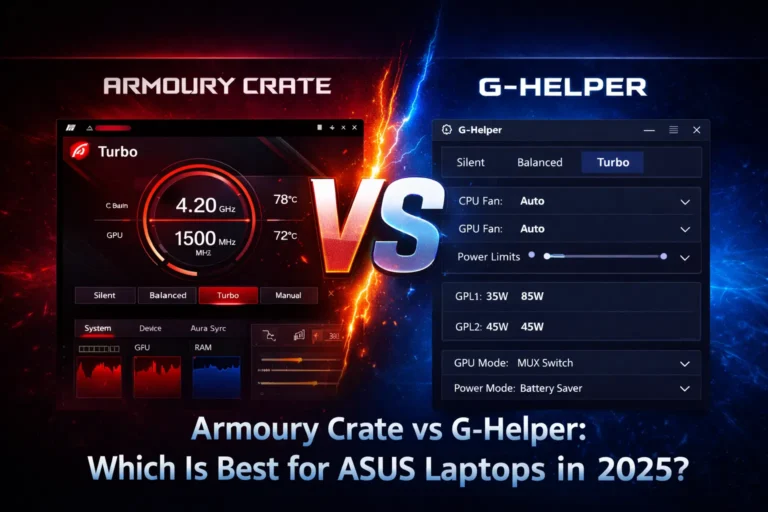
G-Helper is the most popular Armoury Crate replacement for ASUS laptops. It offers core performance and fan controls with extremely low resource usage. Many users switch to it for better battery life and system responsiveness.

Pros
Cons
And If you enjoy optimizing your gaming setup, you might also want to explore Citra Emulator a powerful tool that lets you play Nintendo 3DS games on your PC with smooth performance.
2. ASUS Armoury Crate Lite
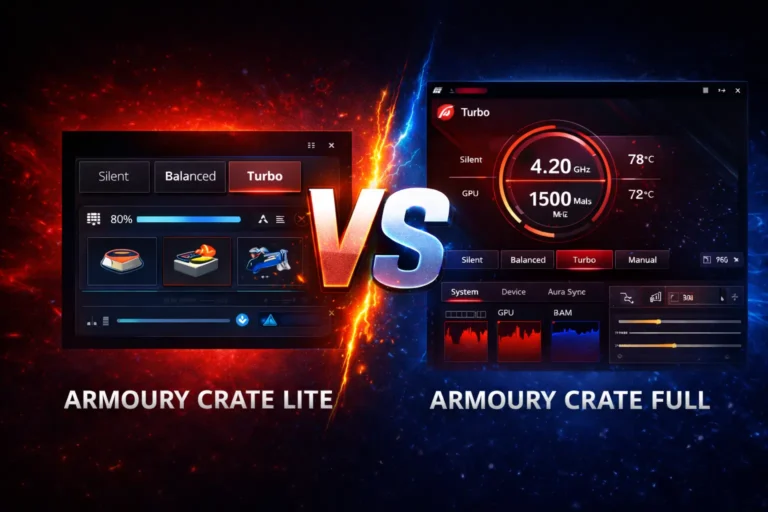
Armoury Crate Lite is the official lightweight version from ASUS. It focuses on essential system support without advanced customization features.

Pros
Cons
3. MSI Afterburner
MSI Afterburner is a trusted tool mainly used for GPU control and monitoring. ASUS laptop users often use it alongside lightweight system tools.

Pros
Pros
4. ThrottleStop
ThrottleStop is designed for advanced users who want manual CPU control. It focuses on undervolting and performance tuning.

Pros
Pros
5. Windows Power & BIOS Controls
Some users rely on Windows power plans combined with ASUS BIOS settings instead of any third-party software.

Pros
Pros
Also Read: What Is Armoury Crate and What Does It Actually Do?
Which Armoury Crate Alternative Is the Best Overall?
For most ASUS laptop users, G-Helper is the best overall alternative to Armoury Crate. It offers essential performance and fan control with extremely low resource usage, no background services, and better battery efficiency. Users who want a clean, fast, and reliable solution without RGB bloat or startup slowdowns will benefit the most from G-Helper. You can see G-Helper VS Armoury Crate Comparison to decide.
Conclusion
Armoury Crate alternatives exist because not every ASUS laptop user needs a heavy, always-running control suite. While Armoury Crate offers deep integration, RGB control, and official support, it can also introduce higher resource usage and battery drain for some users. Lightweight options like G-Helper provide essential performance and fan control with minimal system impact, making them ideal for users who value efficiency and simplicity. Other tools serve specific needs, such as GPU tuning or basic power management, but cannot fully replace Armoury Crate and you can downlaod Armory crate from our website. Choosing the right option depends on whether you prioritize features, performance, battery life, or ease of use.
Frequently Asked Questions
Is G-Helper the best Armoury Crate alternative for ASUS laptops?
Yes, G-Helper is considered the best alternative for most users because it provides essential performance and fan control without heavy background services, improving battery life and system responsiveness.
Can you use BIOS or MyASUS instead of Armoury Crate?
Yes, BIOS settings and the MyASUS app can handle basic performance, charging limits, and diagnostics, but they lack advanced fan control, RGB options, and gaming profiles.
Is ThrottleStop a safe replacement for Armoury Crate?
ThrottleStop is safe for advanced users who understand CPU tuning, but incorrect settings can cause instability, making it unsuitable for beginners.
Can MSI Afterburner fully replace Armoury Crate?
No, MSI Afterburner is mainly for GPU monitoring and tuning. It cannot manage fan profiles, RGB lighting, or ASUS-specific performance modes.
Are Windows power settings enough without Armoury Crate?
Windows power plans work for basic performance and battery control, but they do not access ASUS-specific hardware features or advanced tuning options.
What features do you lose after removing Armoury Crate?
You lose Aura Sync RGB control, unified peripheral management, automatic game profiles, and some official ASUS support features.
Who should switch to an Armoury Crate alternative?
Users focused on battery life, lightweight performance, older hardware, or minimal background services benefit the most from alternatives.
Can Armoury Crate and alternatives be used together?
No, using multiple system control tools together can cause conflicts. It is best to use only one main control application to avoid instability.
Who should keep Armoury Crate installed?
Users with ASUS RGB peripherals, beginners who want automatic profiles, and those who prefer official ASUS support should keep Armoury Crate.